


More than 80% of users leave a website if it loads slowly or feels confusing. That is a serious loss for any business. You spend money on SEO and ads, but visitors still leave in seconds. The real problem is not traffic. The real problem is not knowing how to improve website user experience.
Many website owners feel stuck. Their site looks fine to them, but users struggle to navigate it. Pages load slowly. Buttons are hard to find. Content feels crowded. On mobile devices, the layout breaks. All these small issues damage your website experience and reduce trust. When users feel confused, they leave. When they leave, you lose sales.
At Phoenix Dial, we understand these challenges. Our team carefully audits your site user experience. We check speed, layout, mobile design, content clarity, and user flow. Then we fix what stops visitors from taking action. We simplify navigation. We improve loading time. We focus on improving user interface and structure. Our goal is simple. We improve user experience so your visitors stay longer and convert more.
In this post, you will learn clear and practical steps that explain how to improve website user experience in a simple way. You will discover what works, what to avoid, and how small changes can bring big results. Ready to transform your website into a tool that truly supports your business growth?
What Is Website User Experience?
Website user experience means how people feel when they visit and use your site. It is about comfort, clarity, and ease. When users come to your page, they should understand what to do without thinking too much. This is the core idea behind how to improve website user experience. User experience is not only about how a website looks. It is about how it works.
A good website experience feels smooth and simple. Users can find information quickly. They can click buttons easily. They can move from one page to another without confusion. This helps improve user experience and builds trust. Speed also plays a big role. If a site loads fast, users feel happy and stay longer. If it loads slowly, they leave. That is why improving user experience starts with better performance.
Clean design, readable text, and clear menus also improve the user experience. Navigation is another key part of a strong user experience website. Users should know where they are and where to go next. A clear menu and simple structure improve ux and reduce frustration. In simple words, website user experience is how easy, fast, and pleasant your site feels to visitors. When everything works smoothly, users stay longer, engage more, and feel confident using your site.
Why User Experience Is Important
A strong site user experience helps your business grow faster. When you focus on improving user experience, you create a website that people enjoy using. Here is why it matters:
• Better Engagement
When your website is easy to use, people stay longer. They click more pages. They read your content. They explore your services. This helps increase user experience and keeps visitors active on your site.
• More Leads and Sales
A smooth website experience guides users step by step. Clear buttons and simple forms help them take action. When users feel comfortable, they contact you or buy from you. This is how you improve user experience and turn visitors into customers.
• Lower Bounce Rate
Bounce rate means users leave after viewing only one page. Poor speed and confusing design cause this. But when you focus on how to improve website user experience, users stay longer. They visit more pages. This reduces bounce rate and improves performance.
• Builds Trust
People trust websites that look clean and work smoothly. Fast loading, clear navigation, and simple design show professionalism. Strong user experience web builds confidence and makes users feel safe while browsing your site.
How Does Website Design Affect User Experience?
Website design directly shapes how users feel about your site. Design is not just about beauty. It controls how easy your website is to use. If the design feels clean and simple, users stay longer. If it feels messy or confusing, they leave quickly. That is why understanding how to improve website user experience always starts with better design.
Good design helps improve user experience by making everything clear. Users should know where to click. They should understand your message fast. Strong design supports speed, navigation, and readability. This leads to an enhanced user experience and better results.
First Impression Matters
Users decide within seconds if they trust your website. A clean and modern look creates a positive first impression. A cluttered page creates doubt. Simple headers, clear images, and readable text improve the user experience from the first visit. When your homepage looks organized, users feel confident exploring more.
Layout and Structure
Layout means how content is arranged on the page. A clear structure makes reading easy. Users should see headings, short paragraphs, and enough white space. This makes improving the user interface very important. When content flows in a logical order, users do not feel lost. A strong structure improves ux and keeps visitors engaged.
Colors and Visual Elements
Colors affect emotions. Soft and balanced colors feel professional. Too many bright colors feel distracting. Visual elements like icons and images should support your message, not confuse it. When design elements match your brand and stay consistent, they enhance user experience and make your website look trustworthy.
Mobile-Friendly Design
Most users browse from their phones. If your site does not adjust to mobile screens, users struggle to read and click. Buttons must be large enough. Text must be clear. Pages must load fast. This is how modern web design improves mobile user experience. A mobile-friendly design improves user experience and helps your site perform better on all devices.
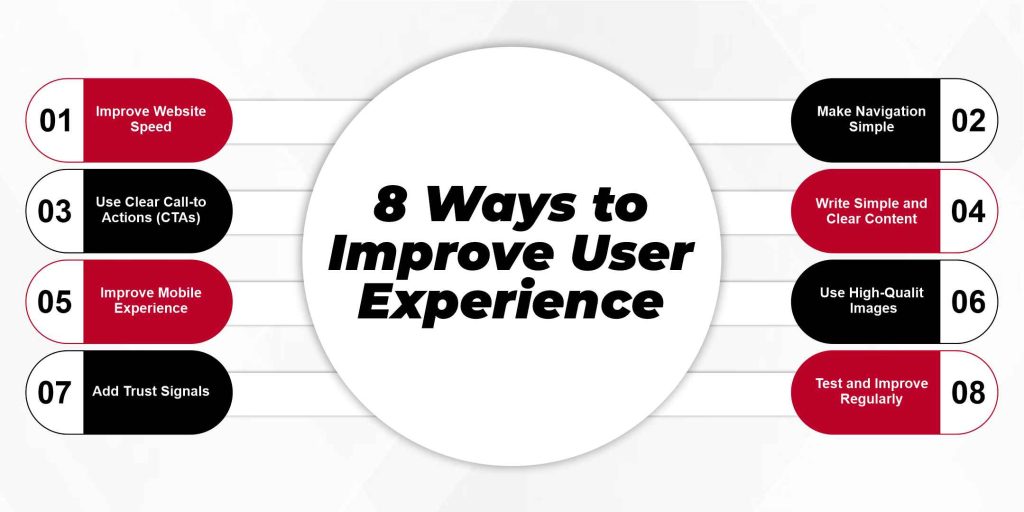
8 Ways to Improve User Experience
Improving user experience is key to keeping visitors engaged and increasing conversions. Focusing on how to improve website user experience means making your site faster, easier to use, and more enjoyable. Here are eight practical ways to enhance user experience and make your website more effective.
1. Improve Website Speed
Slow websites are one of the main reasons users leave a site quickly. Even a few extra seconds of loading can make people frustrated and abandon your page. To improve ux, focus on optimizing performance. Compress large images without losing quality, remove plugins or scripts that slow down pages, and use reliable web hosting. Fast-loading websites create a smooth website experience, make visitors feel comfortable, and encourage them to explore more pages. A quick site also improves your search engine rankings, which brings more visitors naturally.
2. Make Navigation Simple
Navigation is how users move through your website. Confusing menus or too many options make it hard for visitors to find what they need. To improve site user experience, keep menus clear and organized. Group similar pages together, label links with simple words, and include a search bar for easy access. Limit menu items to the most important sections. When users can move through your site effortlessly, it improves user experience web, reduces frustration, and keeps visitors engaged longer.
3. Use Clear Call-to-Actions (CTAs)
Call-to-actions guide visitors toward the actions you want them to take, like contacting you or making a purchase. Poorly worded or hidden CTAs confuse users and hurt conversions. To improve the user experience, use simple and direct labels such as “Get a Quote,” “Buy Now,” or “Learn More.”
Place them where users naturally look, like the top of the page, at the end of content, or near forms. Clear CTAs improve user experience websites, make navigation purposeful, and increase engagement and sales without confusing your visitors.
4. Write Simple and Clear Content
Visitors often leave a website if the text is hard to read or too complex. Short sentences, simple words, and bullet points make reading easier and faster. To enhance user experience, break content into small paragraphs, use headings, and highlight key information. Clear content helps users understand your message quickly and improves user experience because visitors don’t feel lost or overwhelmed. Writing simply also encourages them to take action, like signing up for a newsletter or contacting your business.
5. Improve Mobile Experience
Most users browse websites on their phones or tablets. If your website does not adapt to smaller screens, users may struggle with small buttons, hard-to-read text, or misaligned layouts. To enhance user experience, use responsive design that adjusts automatically to all devices. Make buttons large enough to tap, ensure text is legible, and keep page speed fast on mobile. How modern web design improves mobile user experience is by making navigation smooth and content easy to read, which keeps visitors engaged and reduces frustration.
6. Use High-Quality Images
Images make your website visually appealing, but poor-quality or irrelevant images can damage credibility. To improve user experience, use sharp, relevant visuals that support your content and message. High-quality images enhance user experience websites by making pages more professional and engaging. They also help users understand your content better and make the website feel trustworthy and enjoyable to explore.
7. Add Trust Signals
Visitors need to feel confident before taking action on your website. Without trust signals, users may hesitate to contact you or make a purchase. To improve the user experience, include elements like client testimonials, reviews, clear contact information, and security badges. Adding these features strengthens enhanced user experience because users feel safe and assured. When users trust your site, they are more likely to stay longer, engage with content, and convert.
8. Test and Improve Regularly
User behavior changes over time, so a website that works today may not work as well tomorrow. To maintain a strong user experience enhancement, monitor analytics to see where users drop off, use heatmaps to track clicks, and gather feedback from real users. Regular testing and updates help you fix problems before they affect visitors. Continuous improvements keep your website fast, clear, and easy to use, ensuring that the website experience stays positive for all visitors.
Conclusion
Improving website user experience is not just about design or speed. It’s about making your site simple, clear, and enjoyable for visitors. When you focus on how to improve website user experience, you can keep users engaged, reduce frustration, and guide them toward taking action. Small changes like faster pages, simple navigation, clear content, and mobile-friendly design can create a big difference.
At Phoenix Dial, our team of experts specializes in improving user experience for websites of all sizes. We analyze your site, fix weak points, and implement strategies that enhance user experience, boost engagement, and increase conversions. If you want a website that truly works for your business, contact us today and let our professionals transform your website experience into a smooth, user-friendly, and high-performing platform.
FAQ’s
What is a good website user experience?
A good website user experience is when visitors can navigate easily, find information quickly, and complete tasks without frustration. It feels smooth, clear, and enjoyable.
How do I know if my website has poor UX?
Signs of poor UX include high bounce rates, slow loading pages, confusing navigation, and users leaving without taking action.
Is UX only about design?
No, UX is not just design. It also includes speed, content clarity, navigation, and overall ease of use.
How often should I improve my website UX?
You should review and improve UX regularly, ideally every few months, or whenever analytics show user issues.